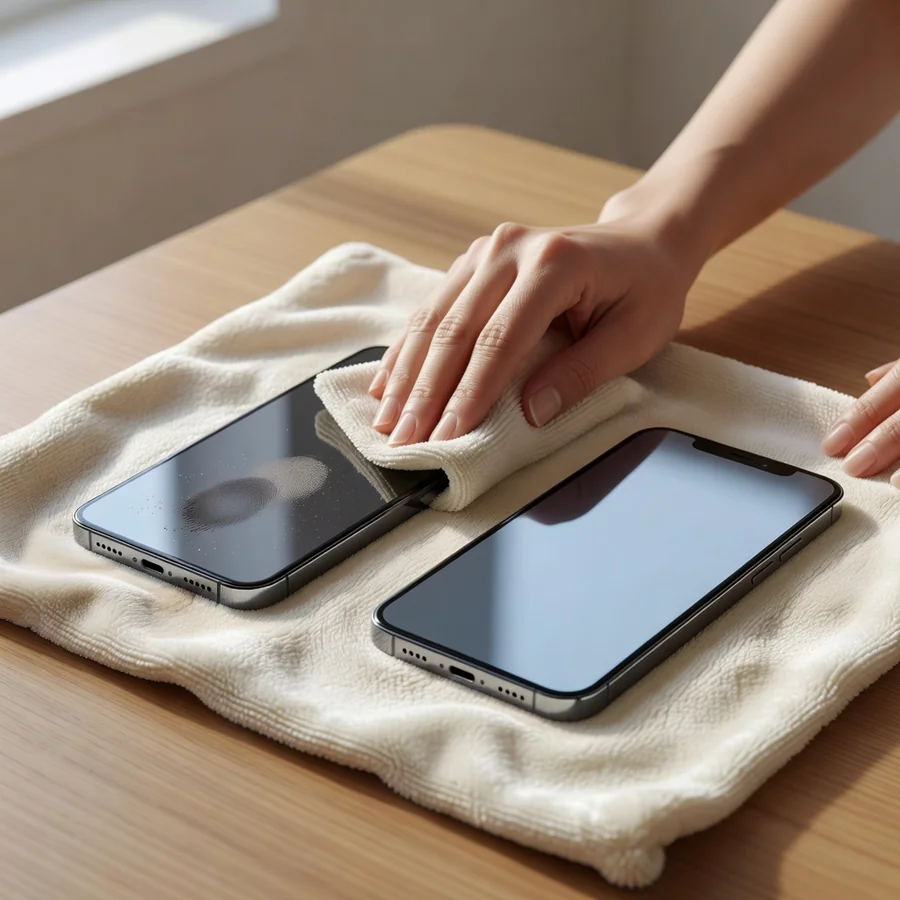
How to Clean Your Phone at Home Without Damaging the Screen Coating or Charging Ports
Your phone harbors roughly ten times more bacteria than a typical bathroom surface, according to multiple lab studies. The real issue, though, is invisible buildup that slowly destroys the oleophobic coating, clogs ports, and shortens hardware life. After testing cleaning routines across dozens of devices over several years, I have found that most guides either push products that accelerate wear or leave out the precise details that prevent long-term problems.
Why Proper Cleaning Protects Performance, Not Just Hygiene
Skin oils, lotions, sunscreen, and makeup form a film that breaks down the oleophobic layer responsible for smooth touch response and fingerprint resistance. Once thinned, the screen drags, attracts more grime, and becomes harder to keep clean. Speaker grilles and charging ports collect compacted lint that blocks sound output and interferes with charging contacts. Regular maintenance therefore acts as preventive care rather than simple sanitation.
Essential Tools That Handle 95 Percent of Cleaning Needs
Skip overpriced gadget kits. These items cover nearly every situation:
- One dedicated microfiber cloth kept only for electronics
- 70 percent isopropyl alcohol wipes or solution
- Cotton swabs and a soft-bristled toothbrush
- Compressed air can
- Distilled water for occasional dilution
- Wooden or plastic toothpick for port work
UV sanitizing boxes add little benefit beyond thorough alcohol wiping in normal use, so treat them as optional unless you have specific medical requirements.
Preparation Steps Before Any Wiping
Most damage occurs before cleaning even starts. Follow this exact sequence:
- Power the device completely off.
- Remove the case to stop trapped dirt from moving back onto the phone.
- Disconnect all cables and accessories.
- Work under bright, direct light that reveals streaks immediately.
I once skipped powering off and triggered unintended screen actions. The problem was small but taught me that a ten-second checklist prevents avoidable errors.
Screen Cleaning Process
The oleophobic coating cannot be restored once worn away, so treat the screen with the lightest possible touch.
- Lightly dampen the microfiber cloth with 70 percent isopropyl alcohol until it feels barely moist.
- Wipe from center outward using small circular motions and minimal pressure.
- Dry immediately with the unused side of the cloth or a second dry microfiber.
- Check under angled light and repeat dry passes on any remaining streaks.
Repeated use of 91 percent or higher alcohol, paper towels, or abrasive fabrics speeds up coating loss. I watched this happen on an older device after months of aggressive cleaning; the surface never regained its original smoothness.
For deeper guidance on choosing screen protectors that extend coating life, see our article on long-term screen protection strategies.
Cleaning the Body, Back Panel, and Frame
Use the same lightly dampened cloth on the rear and sides. Textured or matte finishes tolerate slightly more pressure, while glass backs need the same restraint as the screen. Focus extra attention on the raised camera module where oils collect fastest. For metal frames, run a cotton swab dipped in alcohol along the narrow seam between screen and chassis.
Ports, Speakers, and Buttons
These areas receive the least attention yet cause the most functional failures.
- Charging port: Loosen lint at the edges with a dry toothpick or plastic pick, then clear debris with short bursts of compressed air held several inches away. Never insert metal objects.
- Speaker grilles: Brush gently with a dry soft toothbrush, followed by angled compressed air. Keep all liquids away.
- Buttons: Run a barely damp cotton swab along each edge to dissolve residue, then allow full drying before powering on.
After finishing the ports, test charging and sound quality right away so you catch any remaining issues early.
Case Cleaning by Material Type
Clean the case while the phone dries.
- Silicone or rubber: Use warm soapy water and a soft brush, then rinse and air-dry completely.
- Hard plastic: Wipe with isopropyl alcohol using the same method as the phone body.
- Leather: Apply only dedicated leather cleaner; alcohol dries and cracks the material over time.
- Fabric: Follow manufacturer instructions, usually gentle hand washing.
Yellowed silicone rarely returns to clear because UV exposure causes permanent chemical change inside the material rather than simple surface dirt.
If you use multiple cases, our guide on rotating and maintaining phone cases shows how to extend their lifespan.
Actions That Risk Permanent Damage
Avoid these practices entirely:
- Never apply bleach, hydrogen peroxide, window cleaners, or multi-surface sprays.
- Never spray liquid directly onto the device.
- Never substitute paper towels or tissues for microfiber.
- Never direct compressed air straight into ports at close range.
- Never clean while the phone is charging.
- Never rely on hand sanitizer, which leaves moisturizing additives behind.
Recommended Cleaning Frequency
Balance hygiene needs against over-cleaning that can degrade coatings:
- Screen and exterior: Dry microfiber wipe weekly; full alcohol treatment every two to four weeks.
- Ports and speakers: Monthly or when charging or sound problems appear.
- Case: Every one to two weeks depending on handling.
After any illness, perform a full clean immediately because viruses persist on high-touch surfaces.
Manufacturer Guidelines and Material Differences
Apple approves 70 percent isopropyl alcohol on iPhone screens and cases while prohibiting aerosols and abrasives. Samsung and Google Pixel devices follow similar guidance. Less common brands require checking the official support site first. Ceramic shield glass offers better scratch resistance than many Android panels, yet the oleophobic layer remains equally vulnerable across all manufacturers.
Frequently Asked Questions
Can hand sanitizer replace isopropyl alcohol wipes?
No. Most formulations contain aloe or glycerin that leave a film and attract more dust.
Is daily alcohol wiping safe?
Daily use exceeds typical requirements and shortens oleophobic coating life. One or two alcohol sessions per week suffice for most users.
Does plain water work for basic cleaning?
Distilled water on a microfiber cloth removes fingerprints safely but provides no disinfection.
How should speaker grilles be cleaned without forcing debris deeper?
A dry soft toothbrush followed by angled compressed air removes debris while avoiding liquid damage.
Will cleaning reverse yellowing in clear cases?
Surface grime lifts, but UV-induced yellowing represents irreversible chemical degradation inside the silicone.
Which concentration of rubbing alcohol is appropriate?
Confirm 70 percent on the label. Higher concentrations evaporate too quickly and stress coatings with repeated exposure.
What is the safest method for a cracked screen?
Use minimal moisture and avoid cracks entirely. Severe damage warrants repair before further cleaning attempts.
How long must the phone remain off after cleaning?
Isopropyl alcohol evaporates within 30 to 60 seconds. Water requires two to three full minutes for complete drying.
Try the full process once and compare how the screen feels afterward. The difference in touch response and port reliability becomes obvious within a few weeks of consistent application. For ongoing device care routines, explore our article on preventive phone maintenance schedules.